
The short version
Google Ads only counts a call from your website when its phone code sits on the page showing your number. Before a new site goes live, ask your web designer if that code is on every page with your number. Afterward, make sure Google doesn't mark call tracking Misconfigured, meaning calls stopped counting.
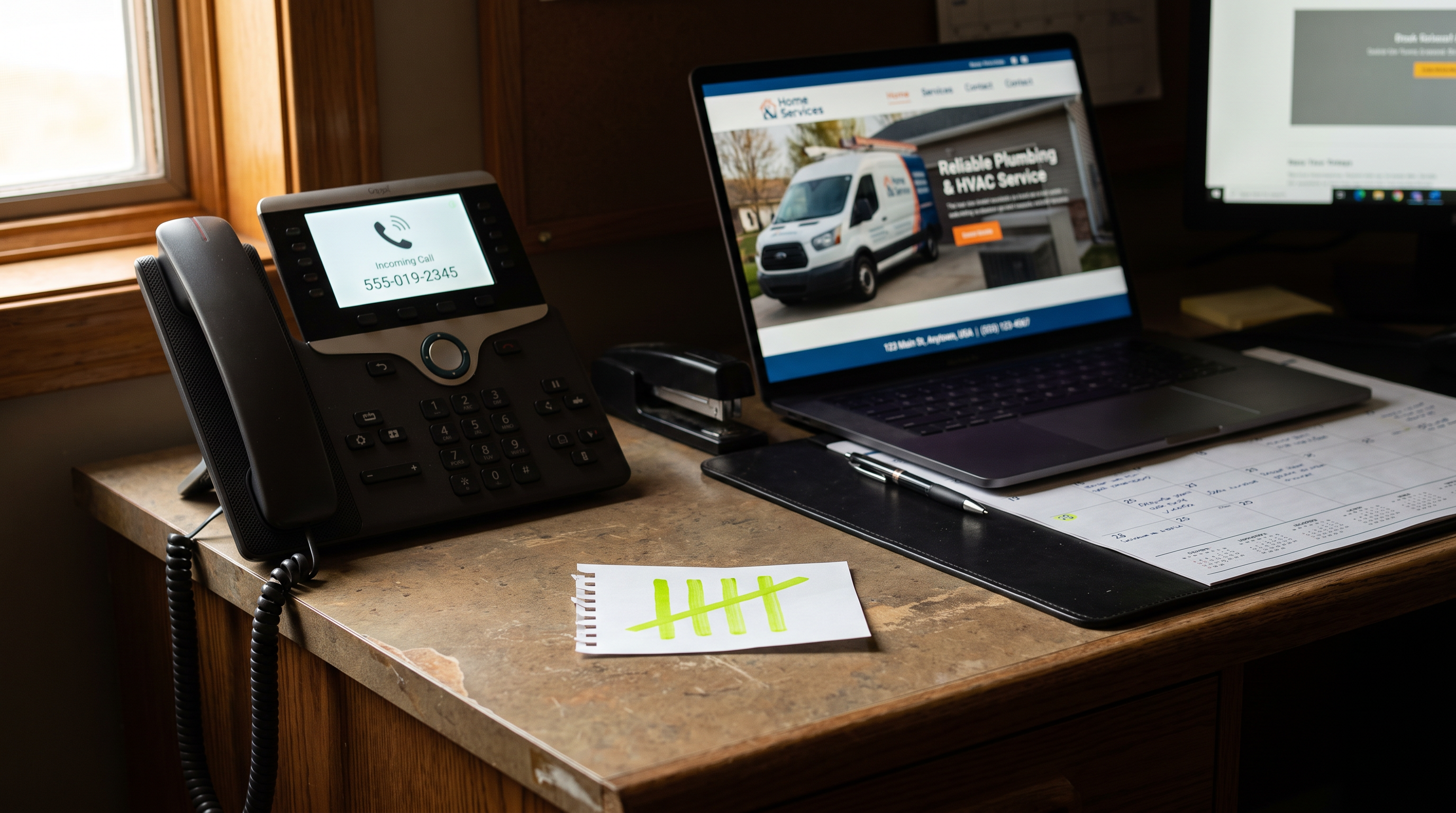
When someone clicks your ad and then calls the number on your website, Google only knows that call came from the ad because of a small piece of code on the page. That code swaps your regular number for a free Google number, so when a homeowner calls it, Google can tie the call back to the ad that sent them. Google's own setup instructions say the code goes on the pages where your number appears. Build a new page without it and the phone still rings, but Google stops counting those calls, and your ads keep spending with less to go on.
So before any new website or new page goes live, ask your web designer one question: is Google's phone code on every page that shows our number?
That question takes ten seconds. Skipping it can leave your ads running for weeks on a count that's missing calls your front desk actually took.
Website calls only count when Google's number is on your page
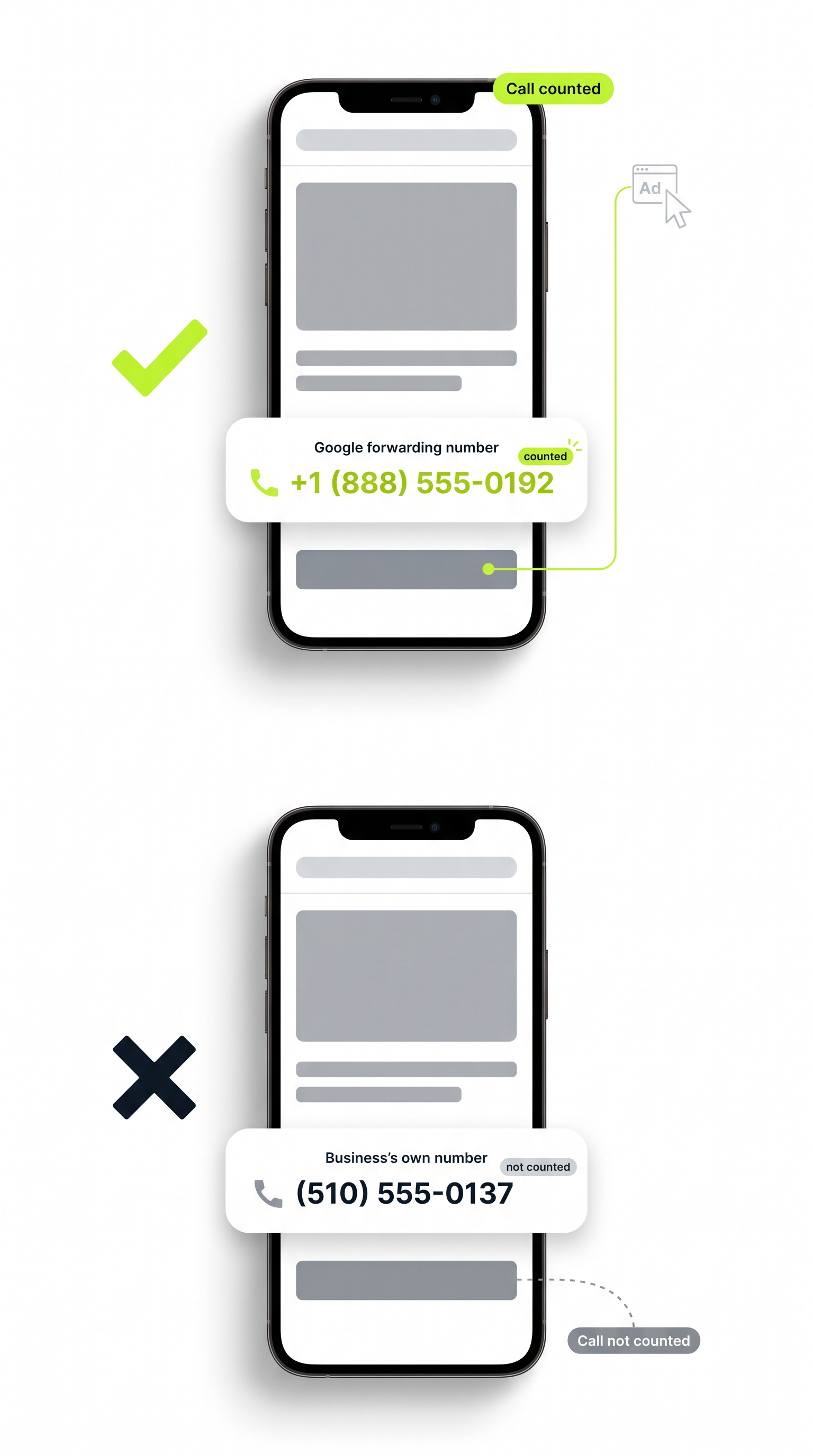
Here's what sits behind the phone number on your website. Google Ads tracks calls from your site with two pieces of code, and both live on the website itself, not in the ad account. One is a tracking tag. The other is a short piece of code that replaces your business number with a Google forwarding number.
The forwarding number costs you nothing. A homeowner calls it, the call goes through to you like any other call, and Google notes which search, which ad and which campaign put that number in front of them. That's how you find out which ads make the phone ring.
One setting decides what counts. Google only counts a call when it lasts longer than a minimum length you pick, so a hang-up after a few seconds doesn't show up as a win. Google's word for a counted call is a conversion, and you'll hear it from whoever runs your ads.
The weak spot follows from all this: the counting for website calls lives on your website. Change the website, and you can change whether Google hears those calls at all.
A new page without the code still rings, but the call goes uncounted
Nothing about missing phone code looks broken. The new page loads. Your number shows. A homeowner calls and books a water heater swap. Your front desk is happy. Google sees nothing, because the page showed your regular number instead of Google's, and the call never passed through Google.
A new site can drop the code in three quiet ways:
- New pages built from scratch. A new service page, a new town page, a rebuilt contact page. Every page that shows your number needs the phone code, and a page built new doesn't come with it unless someone adds it.
- A changed number. Many web designers add code through Google Tag Manager, a free Google tool for putting code on a site without editing every page. Set up that way, the number entered in Tag Manager has to have the exact digits shown on your website. A new site that shows a different number, or a new office line, can break that match.
- A second number on the page. With Google's standard code, only one number can be tracked on a single page. If the new design puts an emergency line beside your main number, only one of them can be tracked.
The calls keep coming, so nobody goes looking. That's why this slips past good home services companies with good web designers.
Fewer counted calls means Google spends your budget with less to go on
Most contractors running Google Ads let Google set the bids automatically. That automatic bidding decides where your budget goes based on the calls it counts. Google says it works best when it keeps getting up-to-date numbers on what's turning into calls. Feed it fewer counted calls, and it makes those decisions from less.
Say you run a plumbing company getting about a dozen ad calls a week through the website. The new site launches on a Monday, and the rebuilt service pages, the ones your ad clicks land on, don't carry the phone code. The phone rings about as often as it did. But Google's count drops from twelve calls a week to three, the ones still coming through older pages that kept the code. From where Google sits, the ads sending people to the new pages stopped producing calls, and its bidding adjusts to what it can see.
If the call tracking breaks across the whole site, the bidding loses every call that comes through your website.
Then the monthly report shows ad calls falling in the same month your phone stayed busy. That mismatch is exactly what gets an owner to cut ad spend that was working fine.
Three status words in the ad account tell you if calls stopped counting
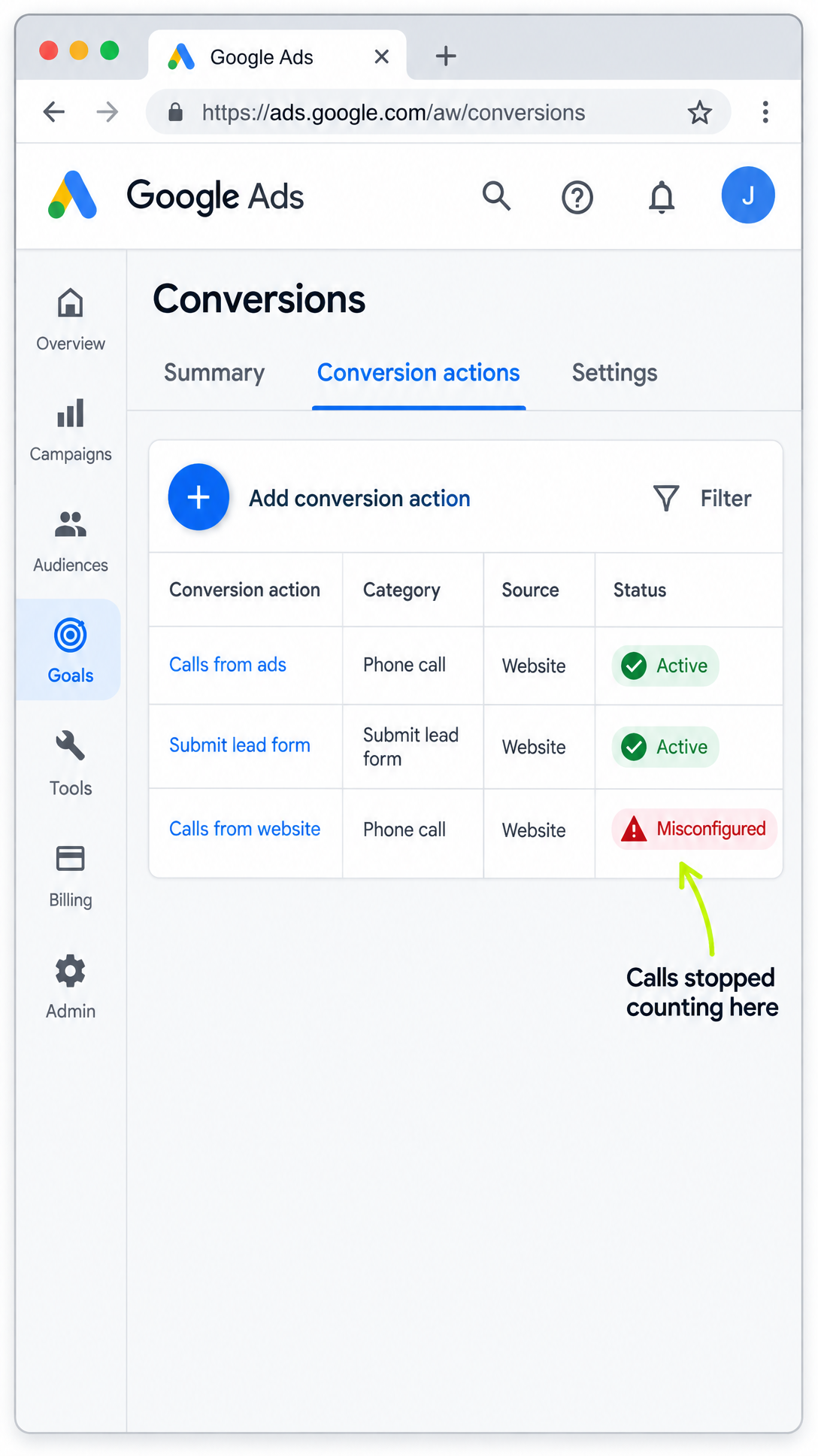
Google now spells out what the status next to each counted action means, Search Engine Roundtable reported. Three of those words matter after a launch. Ask whoever runs your ads to read you the status next to your website call tracking.
- Misconfigured. Calls have stopped counting entirely, because of a setup error or a broken tag. This is the one that points at missing or broken code. Fix it the same day.
- Needs attention. There's something to fix, but calls are still being counted. Worth a look, not an emergency.
- Awaiting conversions. No counted calls in the last 7 days. Google says that usually means the tracking was set up less than 48 hours ago, the campaigns are paused, or there's too little traffic. That isn't automatically a broken site. But if the ads ran all week and the phone was busy, ask why nothing was counted.
There's a fourth sign that's easier to miss. When Google's automatic bidding is adjusting to a change, the word Learning shows next to the campaign's bid strategy, the setting that tells Google how to spend your budget. Learning typically lasts about 7 days, and longer when few calls come in. Store Growers, which writes about Google Ads bidding, puts a line under it: if Learning is still showing past two weeks, stop waiting, because in almost every case they've seen, the cause is a tracking problem, not the bidding.
Don't reset the call tracking. Add the missing code.
When the count drops after a launch, someone may suggest starting fresh: delete the call tracking and set up a new one, or switch what Google counts as the campaign's main goal. Don't.
Swapping what Google counts, or changing when it counts it, can send the campaign back into Learning. Adding, removing or switching the main thing Google counts, which Google calls the primary conversion action, changes the very signal the bidding learns from. While it's learning, Google might set aside data that was already working and start collecting again. Getting through that can take up to around 50 counted calls. For the plumbing company getting a dozen ad calls a week, that's about a month of the ads finding their feet again.
A new page on its own works differently. Changes to bidding and to what Google counts are what bring up the Learning label. A new landing page usually doesn't. The campaign can keep showing as Eligible, Google's word for ads that are running normally, while its numbers swing for a while as Google adjusts to the new page. Swings in the first week are not a reason to rebuild anything.
So the fix is narrow. Put the phone code on the pages missing it, keep the call tracking you already have, and let the count pick back up.
Launch week: two questions before, two questions after
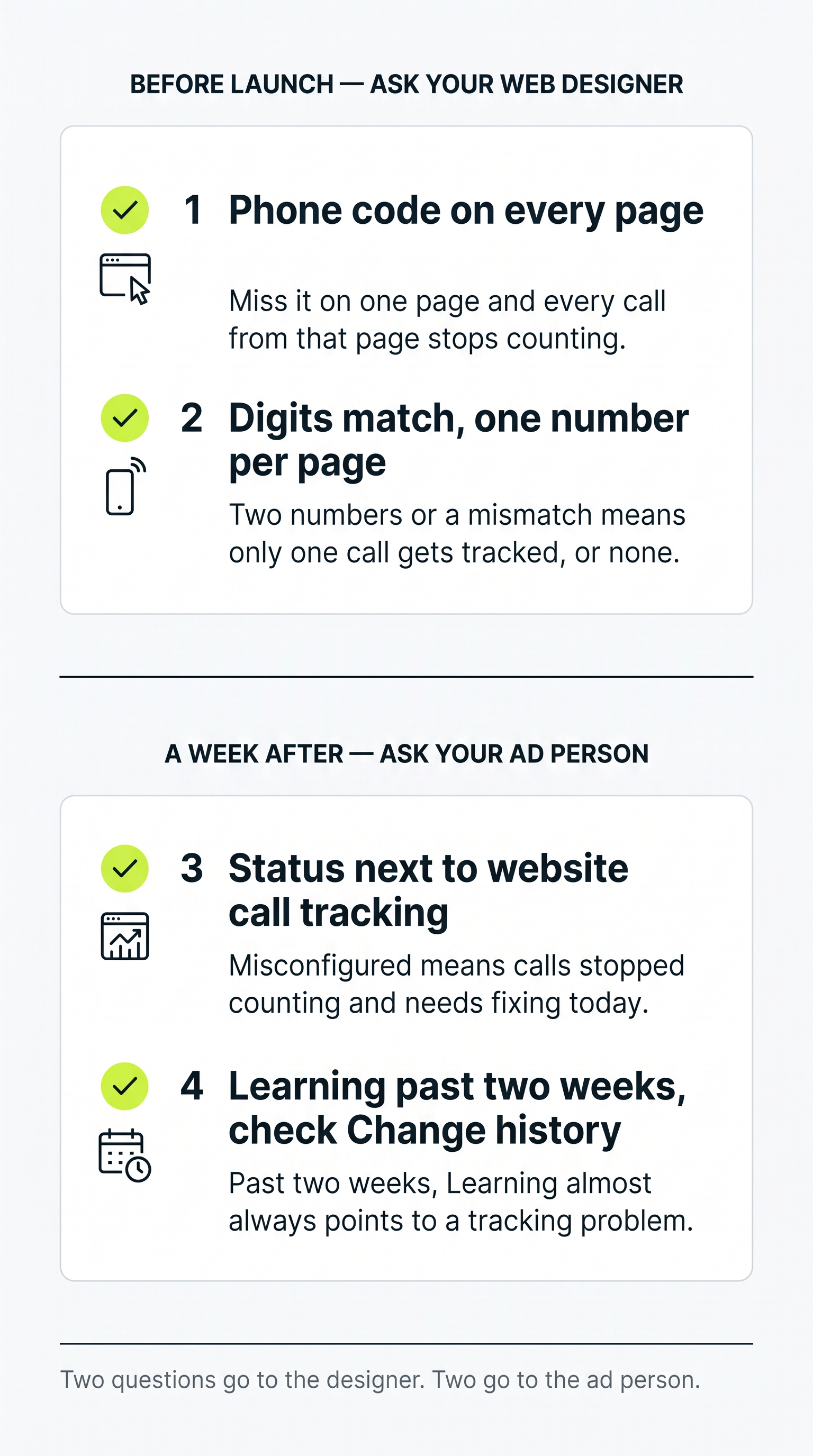
If you're getting a new company website built, or even a handful of new pages, these four questions cover it.
Before the new site or page goes live, ask your web designer:
- Is Google's phone code on every page that shows our number? That includes new service pages, town pages, the contact page, and the top and bottom of the site where your number shows on every page.
- Do the digits match, and is there only one number per page? If the code was set up through Tag Manager, the number entered there has to match the number on the new site exactly. If a page now shows two numbers, find out which one is being tracked.
A week after launch, ask whoever runs your ads:
- What's the status next to our website call tracking? Misconfigured means fix it today. Awaiting conversions while the ads ran and the phone was busy means find out why.
- Is any campaign still showing Learning, and what does Change history show? Change history is the log of every change made inside the ad account. If Learning has run past two weeks, have them look there for changes to bidding, budget and what Google counts in the last two weeks.
Change history only shows changes made in the ad account. It won't show code missing from your website. That's why the first two questions go to your web designer and the last two go to your ad person.
Your phone and your ad account should tell the same story
A new website changes your pages, and Google's counting of website calls lives on those pages. Ask about the phone code before launch, read the status a week after, and add missing code instead of resetting the tracking. That keeps Google's bidding learning from the calls your company actually gets.
Notice where this whole problem starts: on the website. The phone code, the number it swaps and the pages that show your number all live there. Yet most websites have no idea any of it exists. They show whatever was built into them, so a new page goes up without the code and nothing on the site knows anything is missing.
An Agentic Website is built to work the other way. It reads your ads and your phone alongside its own pages, so it knows which pages show your number and which number Google is tracking. A new service page or town page is built to go up carrying the phone code from day one, with digits that match, instead of waiting for someone to remember. And when the calls your front desk takes start pulling away from the calls Google counts, it's built to trace the gap back to the page causing it and fix it there, before Google's bidding spends weeks learning from a short count. That's the difference between a website that tells you something broke and one that keeps your ads learning from every real call.
For your own setup, the next step is to see how Axis37 traces every call from the ad to your front desk.
Frequently asked.
Will a new website reset what Google Ads has learned about my calls?
Not by itself. Changes to bidding and to what Google counts are what bring up the Learning label. A new page usually just makes the numbers swing for a while as Google adjusts, while the campaign still shows as running normally. The bigger risk is the phone code missing from the new pages, which stops those calls from being counted at all.
Does Google charge for the forwarding number on my website?
No. Google provides the forwarding number that replaces your business number on the site at no cost. The call still reaches you, and Google uses that number to tie the call back to the search, ad and campaign that sent it.
Can Google Ads track two phone numbers on the same page?
Not with Google's standard code, which tracks only one number on a single page. If a new design adds a second number, like an emergency line beside the main one, ask your web designer which number is being tracked and whether calls to the other will be counted.
How long should Learning show after a change in Google Ads?
Typically about 7 days, and longer when few calls come in. If Learning is still showing past two weeks, the usual cause is a tracking problem rather than the bidding, so check that the call tracking is still counting before changing anything else.
What does Awaiting conversions mean after a new site launch?
It means nothing has been counted in the last 7 days. Google says that usually means the tracking was set up less than 48 hours ago, the campaigns are paused, or there is too little traffic. It isn't automatically a broken site, but if the ads ran all week and the phone was busy, ask why nothing was counted.
Should we set up new call tracking when the new website launches?
No. Keep the call tracking you have and put the phone code on any page that is missing it. Swapping or replacing what Google counts can send the campaign back into Learning, where Google may set aside data that was working and start collecting again.