


The short version
Put a special, like a $79 drain cleaning or a free roof inspection, on your Google listing as an offer with start and end dates, not in the paragraph about your company. Leave your phone number out of the offer, link it to your website, then look for it on Google Maps the next day.
On your company's Google listing, post your special as an offer. Include the dates it starts and ends. That goes for a $79 drain cleaning, a free roof inspection, a free moisture check after a leak or an $89 furnace tune-up. Google's rules now say in writing that the special doesn't go in the paragraph about your company. Don't type your phone number into the offer. Link the offer to the page on your website about that special. The next day, find your company on Google Maps and check that the offer is showing.
Your Google listing is what comes up on Maps and in search when a homeowner looks up your company. Google calls it your Business Profile. It has a paragraph about your company, which Google calls the business description, and a place for short updates, which Google calls posts. Search Engine Roundtable reported on October 6 that Google rewrote its Maps rules to spell out what business owners can't put in each one. Google's rules for Maps now say to keep prices, limited-time deals and lines like "Call today" out of the paragraph about your company. Posts work differently. Offers are allowed there, and an offer comes with its own dates and its own button for viewing the deal.
The Paragraph About Your Company Is for What Stays True All Year
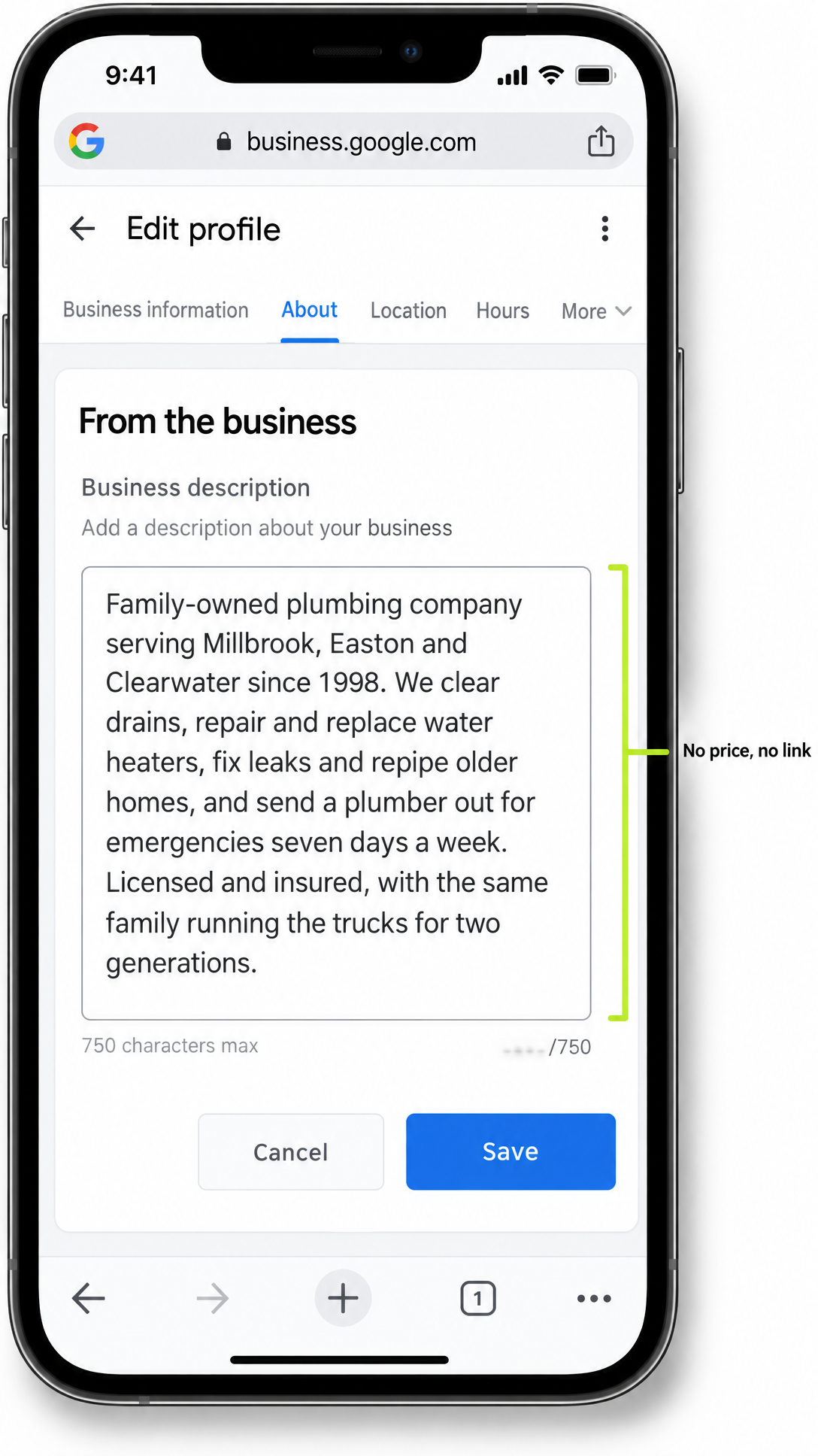
Google wants the paragraph about your company to cover your services, the towns you work in and your history. Its guidelines say that paragraph shouldn't focus on specials, prices or sales, and they allow no links of any kind in it. The reason is simple. Google says what goes on Maps should describe a business's permanent identity, and a deal that ends on the 30th isn't permanent. Your phone number already has its own place on the listing, so it doesn't need to be typed into the paragraph either.
Check Whether Your Own Listing Still Has an Old Special in It
This rule matters to you only if your paragraph breaks it, so read it before you do anything else. A lot of these paragraphs were typed years ago by an office manager or an old marketing company and nobody has looked at them since.
Picture a plumbing company that covers three towns. Its paragraph on Google reads:
Serving Millbrook, Easton and Clearwater since 1998. Drain cleaning only $79 this month! Call 555-0142 today or find us at facebook.com/millbrookplumbing.
That's two lines with four things Google's rules don't allow there: the $79 price, "this month," "Call today" and the Facebook address. The rewrite keeps what stays true and drops what expires:
Family-owned plumbing company serving Millbrook, Easton and Clearwater since 1998. We clear drains, repair and replace water heaters, fix leaks and repipe older homes, and send a plumber out for emergencies seven days a week. Licensed and insured, with the same family running the trucks for two generations.
Nothing in that version needs changing when the special ends. A roofer, a restoration company or an HVAC company gets the same treatment: say what you do, where and for how long. If you run a plumbing company, how plumbers get found on Google Maps covers the rest of the listing.
Google Gives Your Special Its Own Spot: an Offer With Start and End Dates
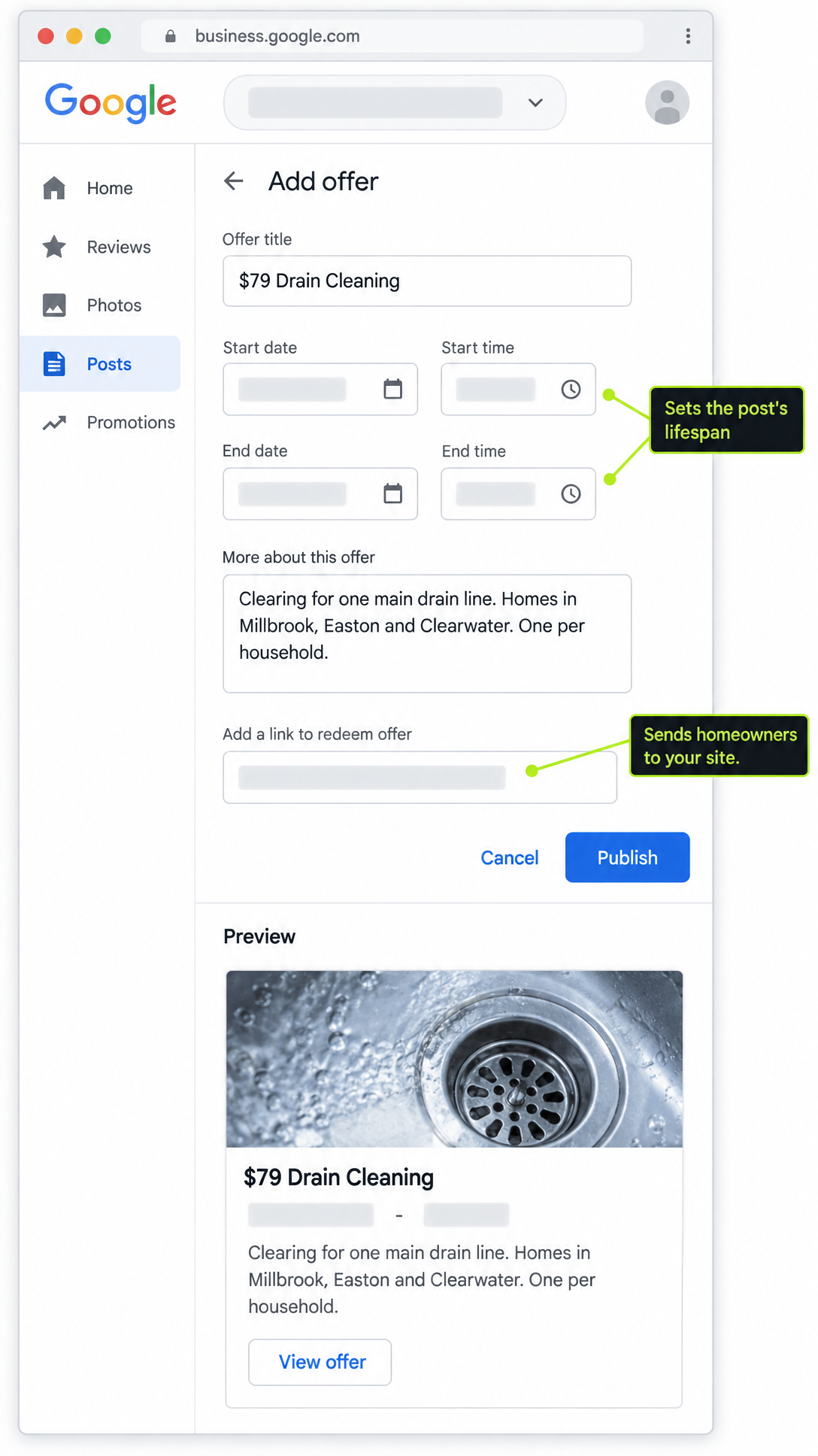
Once the special is out of the company paragraph, it needs a home of its own. Google's help pages say posts are there to promote sales, specials, events, news and offers. An offer needs a title, dates and times, and Google adds a button for viewing the offer on its own. Have whoever manages your listing build it, and include a link to the page on your website about that special, where homeowners can book or call.
For the plumbing company, the offer looks like this:
- Title: $79 Drain Cleaning
- Dates: the 1st through the 30th, ending at closing time
- Details: Clearing for one main drain line. Homes in Millbrook, Easton and Clearwater. One per household.
- Link: the drain cleaning page on the company's own website, where the full terms are written out
Three of those choices matter more than they look.
The dates do two jobs. Google archives posts older than six months unless a date range is set, and the offer's start and end dates are that range. They also tell the homeowner exactly when the $79 price stops, which saves your front desk an argument on the 31st.
The terms go in writing. Google's guidelines say any promotion should clearly link to its terms and spell out who qualifies, and that every promise made or implied should be kept. If the price covers one drain line, say one drain line. If it's for homes in three towns, name the towns.
The link does the selling. A homeowner who taps through from the offer decides on that page of your website whether to book. The page should answer their questions, show a number they can tap to call and take the appointment, which is the work an Agentic Website is built to do.
A Phone Number Typed Into the Offer Can Keep It Off Google
The easy move is to paste last year's flyer into the offer, and that's where specials go missing. Flyers carry a phone number, an email address and a Facebook page, and Google's Maps rules don't allow any of those in posts. Google's help pages go further: a post with a phone number in its text might be rejected if Google can't confirm the number belongs to your business, and posts with contact details Google can't confirm may be removed. Either way, the special isn't showing.
You don't lose the call by leaving the number out. The offer links to the page on your website about that special, and that page is where the homeowner taps to call or book. So before your office manager or marketing company reuses a flyer, have them take out the phone number, the email address and the social links.
Look at Your Special the Way a Homeowner Would the Next Day
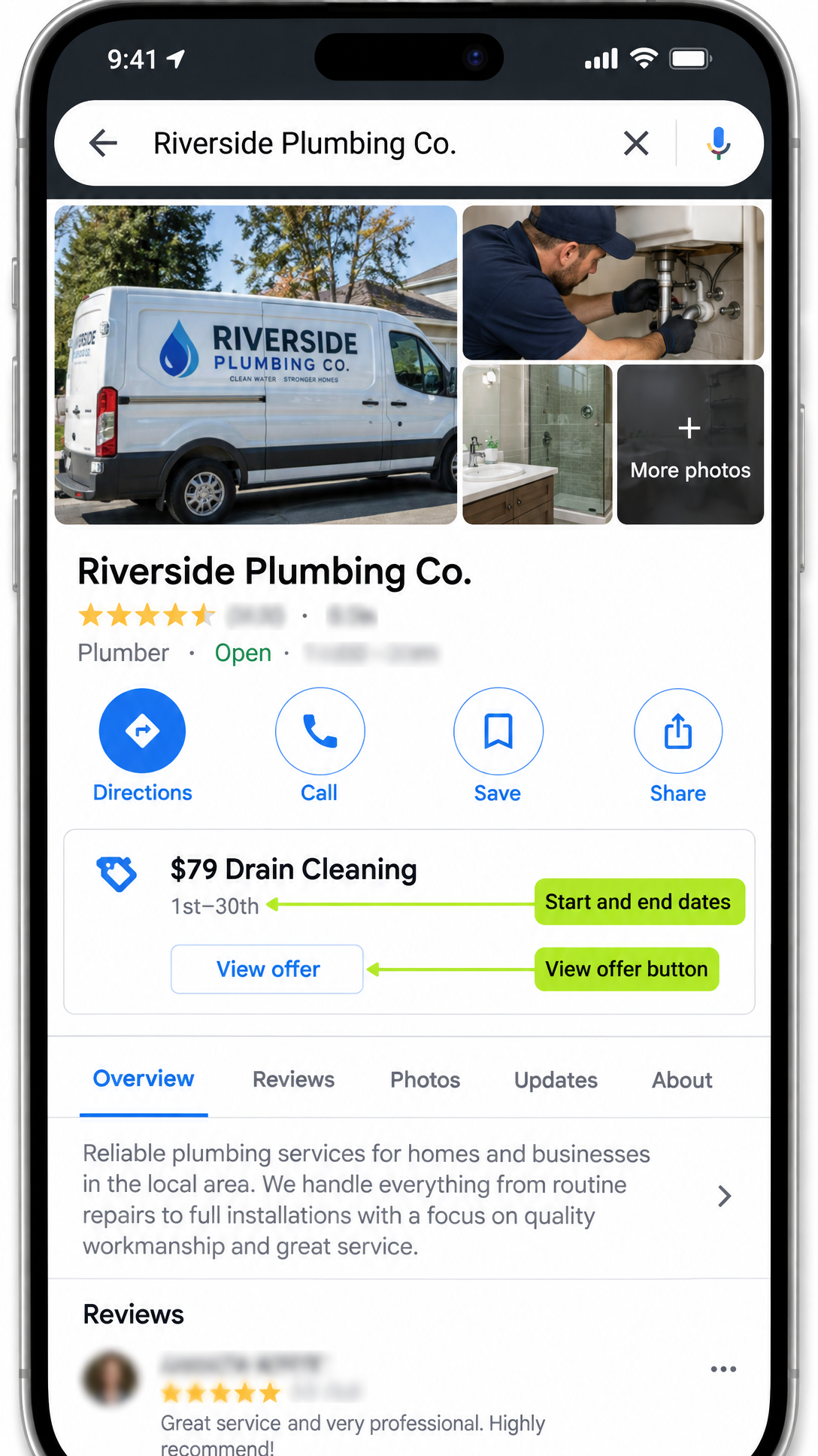
Hitting publish doesn't mean the special is showing. Google reviews every post after it goes up, and a post it turns down doesn't appear on Search or Maps.
So check it the way a customer would. The day after it posts, pull up your company on Google Maps from your phone and look for the special. Open it and check the price, the dates and the link to your website. If it isn't there, have whoever posted it look up why Google turned it down, since Google names the rule it broke, and fix it, starting with any typed phone number, email address or social link. Don't count the special as running until a homeowner can see it.
A Special Only Pays Off When the Page Behind It Books the Job
Each part of your listing has one job. The paragraph about your company says who you are all year. The offer carries the price, the dates and the terms. The page on your website turns a homeowner's tap into a booked job. When a special goes up and the schedule doesn't fill, check that chain in order: is the offer showing on Maps, and does the page it links to make booking easy?
Before your next special goes up, pull up your listing on your own phone and read the paragraph about your company. If last year's price is still sitting in it, start there, and the rest follows: a dated offer, no typed number, a look on Maps the next day. If you'd rather someone run that routine every time you put out a special, it's part of how we look after a home services company's Google listing, whether the special is a drain cleaning or a roof inspection after a hailstorm.
Frequently asked.
Can I put my phone number in a Google offer post?
Leave it out. Google's Maps rules don't allow phone numbers, email addresses or social media links in posts, and a post with a typed phone number might be rejected if Google can't confirm the number belongs to your business. Link the offer to the page on your website about that special instead, and make sure that page shows a number homeowners can tap to call.
Do Google posts disappear after a while?
Yes. Google archives posts older than six months unless a date range is set. An offer has start and end dates, which serve as that range and also tell homeowners exactly when the price ends. Set the dates to match the real special so the offer and your front desk say the same thing.