

The short version
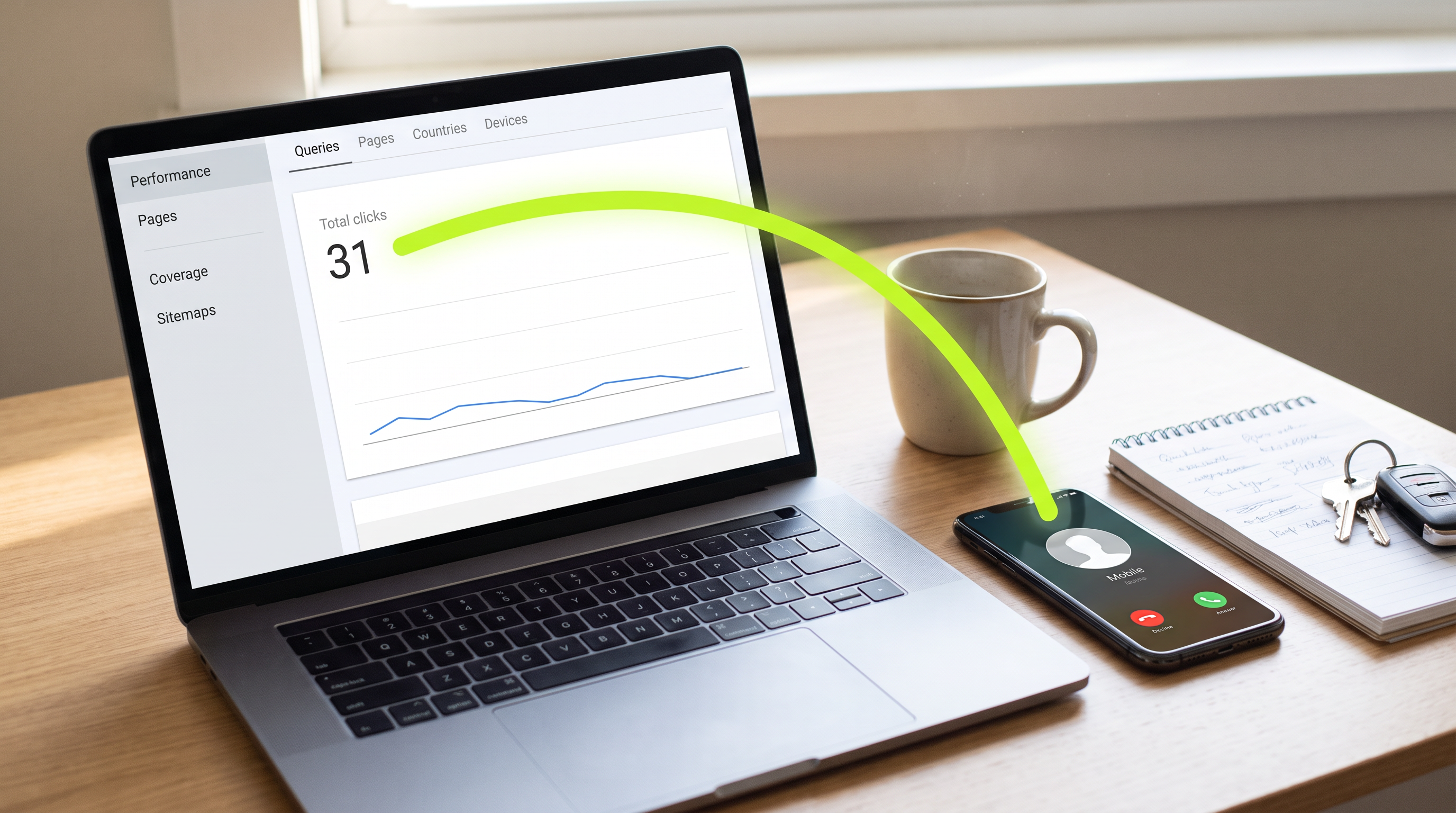
Google's website report only counts people who go from Google to your website. A homeowner who taps call on your Google listing never visits your site, so her call shows up in the listing's own report as a tap on the call button. Check those taps against the calls your office took before you cut anything.
When the report says almost nobody is visiting your website, it looks like the monthly fee for your Google ranking is wasted. But that report only counts people who go from Google to your website. A homeowner who taps call on your Google listing never visits your site. Even the listing's own call count only counts taps on the call button, not calls that went through. So the real test is your office's call log. Ask whoever runs your Google listing for its call numbers, month by month, and set them next to the calls your office actually took.
Do that before you make a money decision on that report: cutting the search budget, firing whoever does your marketing, or paying to redo the website. The question costs nothing. Cutting the spend that fills the phone costs booked jobs.
Google's report only counts people who visit your website
The screenshot most marketing companies send comes from Google's free report on how your website does in search. Google calls it Search Console. It shows how many times your site came up, how many times someone went from Google to your site, and where it sat on the page.
Google calls each of those visits a click. Its own help page on that report defines it as "how often someone clicked a link from Google to your site." The same page spells out the other side of the rule: Google counts it only when the person leaves Google for a page outside Google. A tap that stays inside Google isn't counted.
That one rule explains most of the gap. A tap that opens your listing, a tap for directions, a tap on the call button: none of them leave Google for your website, so none of them show up in that report.
Homeowners who call from the map never visit your website
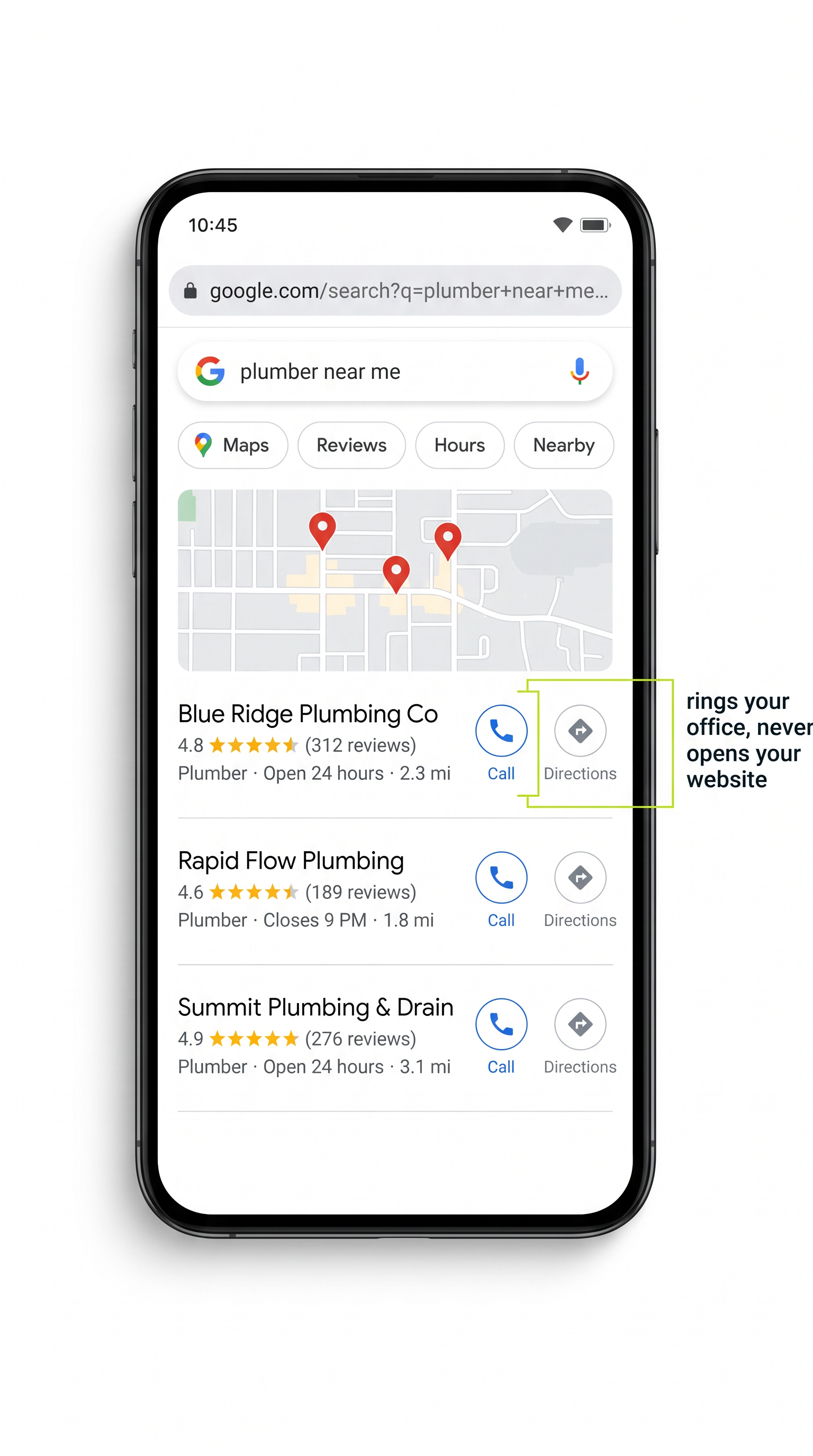
Your Google listing is the box with your company name, stars, hours and a call button that shows up in the map results and on Google Maps. Google calls it a Business Profile.
Picture a homeowner with water on the basement floor. She searches on her phone, sees three companies in the map results, picks yours because of the reviews and taps call. Your phone rings. Your website never loads.
Sterling Sky, a firm that studies local search, lays out where those taps go: taps to call and requests for driving directions are counted in the listing's own report and are not shown in Search Console. Two more details from the same write-up matter here. Many map results on phones don't show a website link at all, so a homeowner who picks you there can't get to your site from there even if she wanted to. And the website visits that do come from the map get mixed in with all your other visits from Google, with no line that splits them out.
So the more your customers call straight from the map, the fewer website visits that report can show. That's not the ranking failing. It's the ranking working somewhere the website report can't see.
Number one can mean you're in the top box with other companies
"Position 1" sounds like your company sits first on the page. Google's help page defines position as "a relative ranking of the position of your link on Google, where 1 is the topmost position." Three details on that same page change what the number means:
- Each box on the results page takes one position, whether it holds one link or many. The whole map box, with several companies inside it, can count as a single position.
- The number is your highest spot, averaged across every search where you came up. It is not a fixed spot every homeowner sees.
- Any one homeowner's search can show you somewhere else, depending on things like where she's standing and what she has searched before.
Ads don't take a position either, so the paid results above you aren't in the count. Google's own warning on that page: "a position number can mean different things in different situations, and so you should not make simple assumptions."
So "number one, but hardly anyone visits the website" can mean you came up inside a top box shared with other companies, on searches where most people called from the map. Or it can mean something else. The position line can't tell you which, and it's a bad number to cut a budget on.
Your Google listing counts taps on the call button, not answered calls
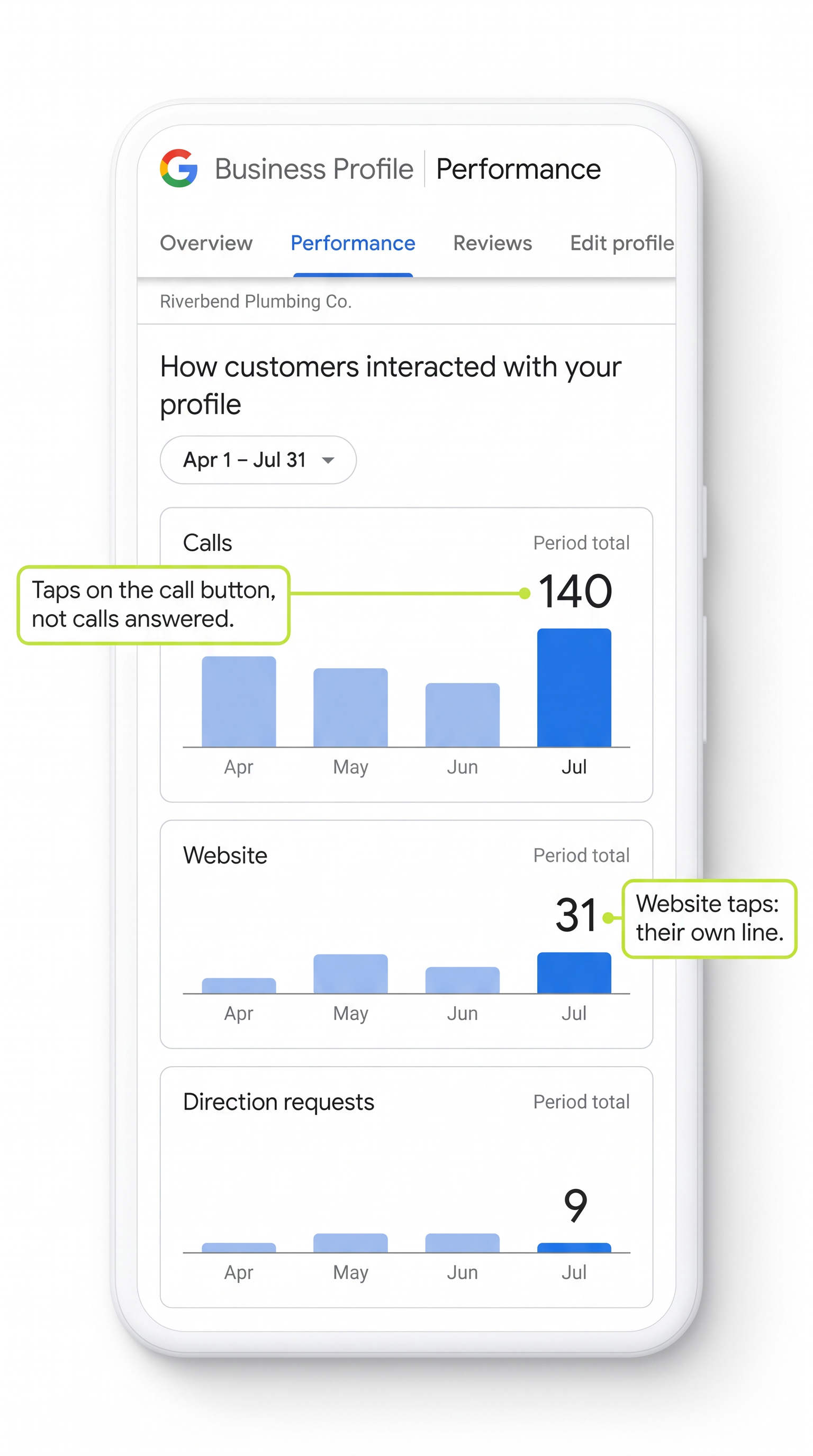
The listing's report keeps separate counts. On its Business Profile help page, Google defines calls as "the number of times a customer clicked on the call button on your Business Profile." Taps on your website link get their own line, and so do requests for directions.
Four things to know before you read those lines:
- A call there is a tap, not a call. Sterling Sky's guide to reading the listing's report puts it plainly: calls measure taps on the call button, "not confirmed completed phone calls." A tap that never turns into a conversation still counts.
- It includes ads. Google says the listing's numbers cover activity from both free search results and Google Ads. If you run ads on Google, some of those call taps came from the ads, not the free listing.
- Direction requests barely apply to most home services companies. Sterling Sky notes they generally don't apply to a company that works at the customer's home and hides its address on the listing. A low number there is normal.
- Read each line on its own. Sterling Sky's example: website taps go up, calls go down, and the total still rises, "making overall performance look better while hiding a decline" in one of the most valuable things a customer can do. A report that only shows one total for everything people did on your listing can hide a drop in calls.
Whoever looks after your Google listing should be reading these lines one at a time, with calls first, not handing you one total.
Line up last month's Google numbers with the calls your office took
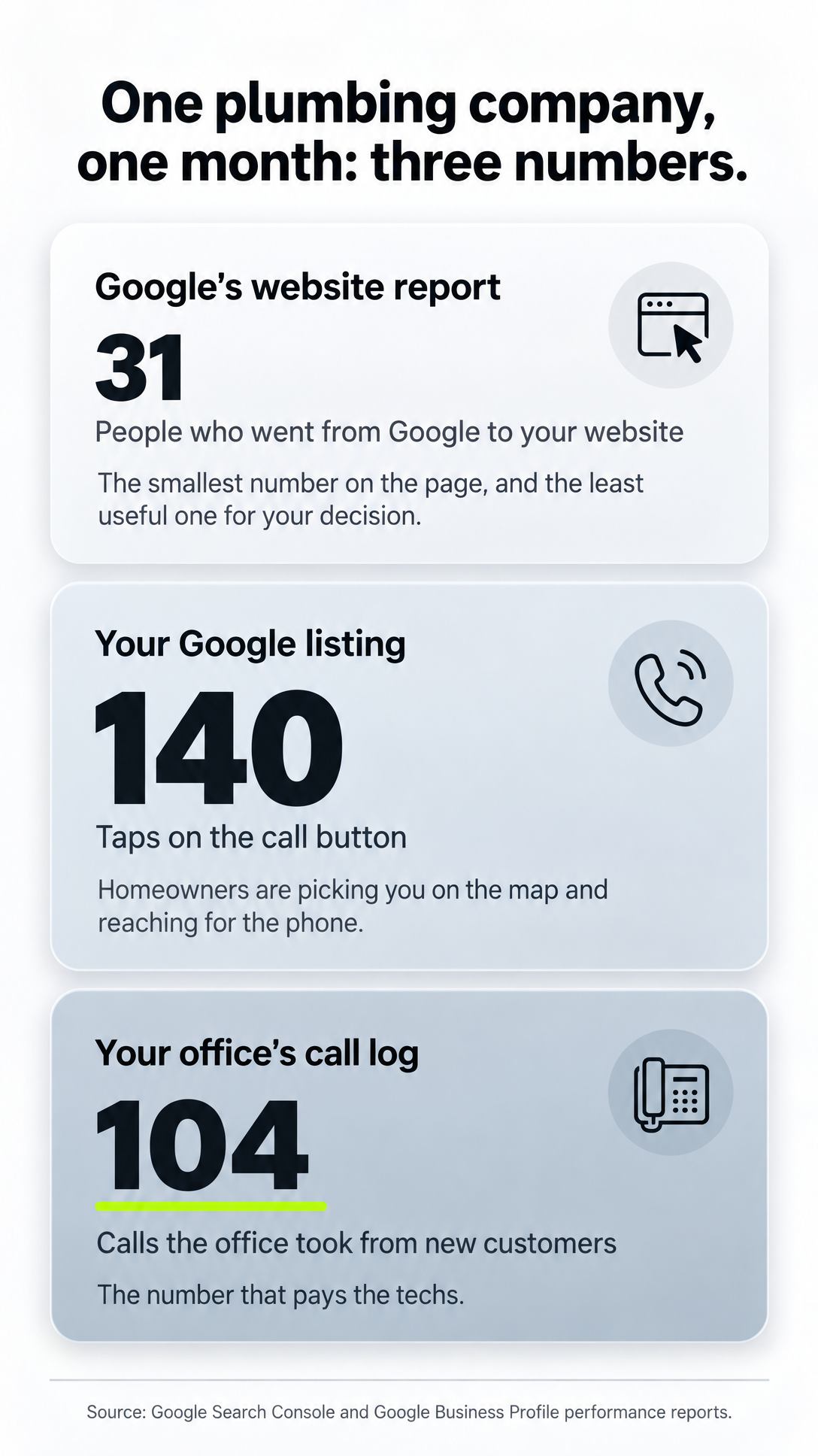
Say you run a plumbing company in a mid-sized town. Your marketing company's screenshot says your average spot is 1.2 and your website got 31 visits from Google last month. It looks like you're paying for nothing. Now line it up with the other two numbers:
| Where the number comes from | What it counts | Last month |
|---|---|---|
| Google's website report | People who went from Google to your website | 31 |
| Your Google listing | Taps on the call button | 140 |
| Your office's call log | Calls the office took from new customers | 104 |
The 31 is the smallest number on the page and the least useful one for your decision. The 140 says homeowners are picking you on the map and reaching for the phone. The 104 is the number that pays the techs.
The space between 140 and 104 isn't a reason to panic either. Some taps are people who changed their minds, some came from ads, and some may be calls that rang out or went to voicemail. That last group is the one worth chasing.
Your office can't tell from the log alone which new-customer calls came from the listing. But if call taps and new-customer calls rise and fall together month after month, you're looking at the same people. To know for sure, every call has to be traced back to where it came from.
Compare finished months only. Sterling Sky warns against setting a half-finished month next to a full one; the current month will always look worse until it's over.
Before you cut the budget, ask for the call numbers month by month
Here's the request, in words you can send as-is to whoever runs your Google listing:
"Send me our Google listing's call taps, website taps and direction requests for each of the last several finished months, each one on its own line. Not the total."
Then set those numbers beside your office's call log for the same months. What the pairs tell you:
- Call taps up, office calls up. The listing is filling the phone. The low website numbers were never the story.
- Listing views up, call taps flat. If calls stay flat while more people see your listing, something between the listing and the phone is broken. Start with what a homeowner sees before she taps: the phone number on the listing, the hours, the reviews.
- Call taps up, office calls flat. People are reaching for the phone and not getting through. That's missed calls, voicemail and slow pickups, and it's the problem behind answering every call that comes in.
If you also want to see which website visits came from the listing, Sterling Sky recommends adding a tag to the website link on your listing so those visits show up on their own line in your website reports. Ten minutes of setup, and every monthly report after that can split them out. It's part of what a useful monthly report shows: numbers you can check against your own phone.
Your ranking shows up in phone calls, not in the website report
A report showing few website visits can sit right beside a ringing phone, because that report never sees the homeowner who calls from your listing. Before you cut the spend, pull the listing's call taps by finished month and lay them next to your office's call log.
Then make a habit of reading your own numbers instead of a screenshot someone else picked. Run the Search Checkup on your company to see how you actually show up when homeowners search, before you decide what that ranking is worth.
Frequently asked.
Does a call from my Google Maps listing show up in Search Console?
No. Search Console only counts someone when they go from Google to your website. A tap on the call button on your listing stays inside Google, so it's counted in your Google listing's own report as a call tap instead.
Is a call in my Google Business Profile report a real phone call?
Not always. Google counts a call each time someone taps the call button on your listing. That tap isn't proof the call connected or that anyone answered, so check the count against the calls your office actually logged for the same finished month.
Do the call numbers on my Google listing include Google Ads?
Yes. Google says the listing's numbers include activity from both free search results and Google Ads. If you run ads on Google, some of those call taps came from the ads, so the free listing can't take credit for all of them.
What does it mean if my listing gets more views but call taps stay flat?
When calls stay flat while more people see your listing, something between the listing and the phone is broken. Start with what a homeowner sees before she taps: the phone number on the listing, the hours and the reviews.
Why is the direction requests number on my Google listing so low?
Sterling Sky notes that direction requests generally don't apply to a company that works at the customer's home and hides its address on the listing. For most home services companies a low number there is normal and says nothing about whether the listing is working.