

The short version
As of October 2026, a Google search ad's form can ask one required question you write, like whether they own the home and need work soon. Google flags ready-to-book answers so your office calls them first. Google doesn't say if your ads then hunt for more of them, so have your ad person check.
Some Google search ads carry a short form the homeowner fills out right on Google instead of calling you. As of October 2026, that form can ask one required question that you write, the way your dispatcher would: do you own the home, and how soon do you need the work? You pick which answers mean ready to book, and Google flags everyone who picks one. Your office sees the flags before it dials, so it calls back the family with a dead water heater before the renter collecting prices for next spring.
There's one thing Google doesn't spell out. It counts the flagged homeowners on their own, but its help page doesn't say whether your ads start hunting for more of them by themselves or keep chasing every form. So someone has to check your account. The two things to ask whoever runs your ads are near the end.
Until now, every form from your Google ad looked the same
The form sits right on the ad: name, phone number, sometimes a question or two. The homeowner never calls you. Your office gets the name and number and calls them back.
Until now, every one of those forms landed looking the same. The renter who can't approve the work, the homeowner pricing a new roof for next year and the family whose water heater quit this morning were all one more name on the callback list. Your office found out which was which on the phone, one callback at a time.
Now the ad can ask your first question before they hit send
Search Engine Roundtable reported in October 2026 that whoever builds the form can now pick which answers to a question count, with up to 12 answers per question. Google's own help page says every form that comes in with one of those answers "will automatically be tagged as a qualified lead." That's Google's wording. In plain terms, Google flags that homeowner as one your office wants to talk to.
The question is required, so nobody can skip it. And Google's reasons for adding it are the ones your front desk would give you: better people to call back, and less time spent on the ones that go nowhere.
Write the question your best dispatcher asks first
Google doesn't write the question for you. Your ad person sets it up, but you're the one who knows which answers mean work. Think about what your best dispatcher figures out in the first ten seconds of a callback: what's wrong, whether they own the home, and how soon they need it. One multiple-choice question can cover all three.
Say your office keeps calling back renters and people pricing next year's work. The question could look like this:
Which of these sounds most like you?
| Answer the homeowner can pick | Flag as ready to book? |
|---|---|
| I own the home and something needs fixing this week | Yes |
| I own the home and want the work done this month | Yes |
| I own the home and I'm planning for later this year | No |
| I'm comparing prices for now | No |
| I rent this home | No |
Keep the "no" answers on the list. A renter who sees "I rent this home" will pick it, and your office knows before it dials. Fit the answers to your trade: a roofing company might split "my roof is leaking now" from "I want a price on a new roof," and a plumbing company might split "my water heater quit" from "I'm thinking about going tankless."
Your office calls the ready-to-book homeowners first
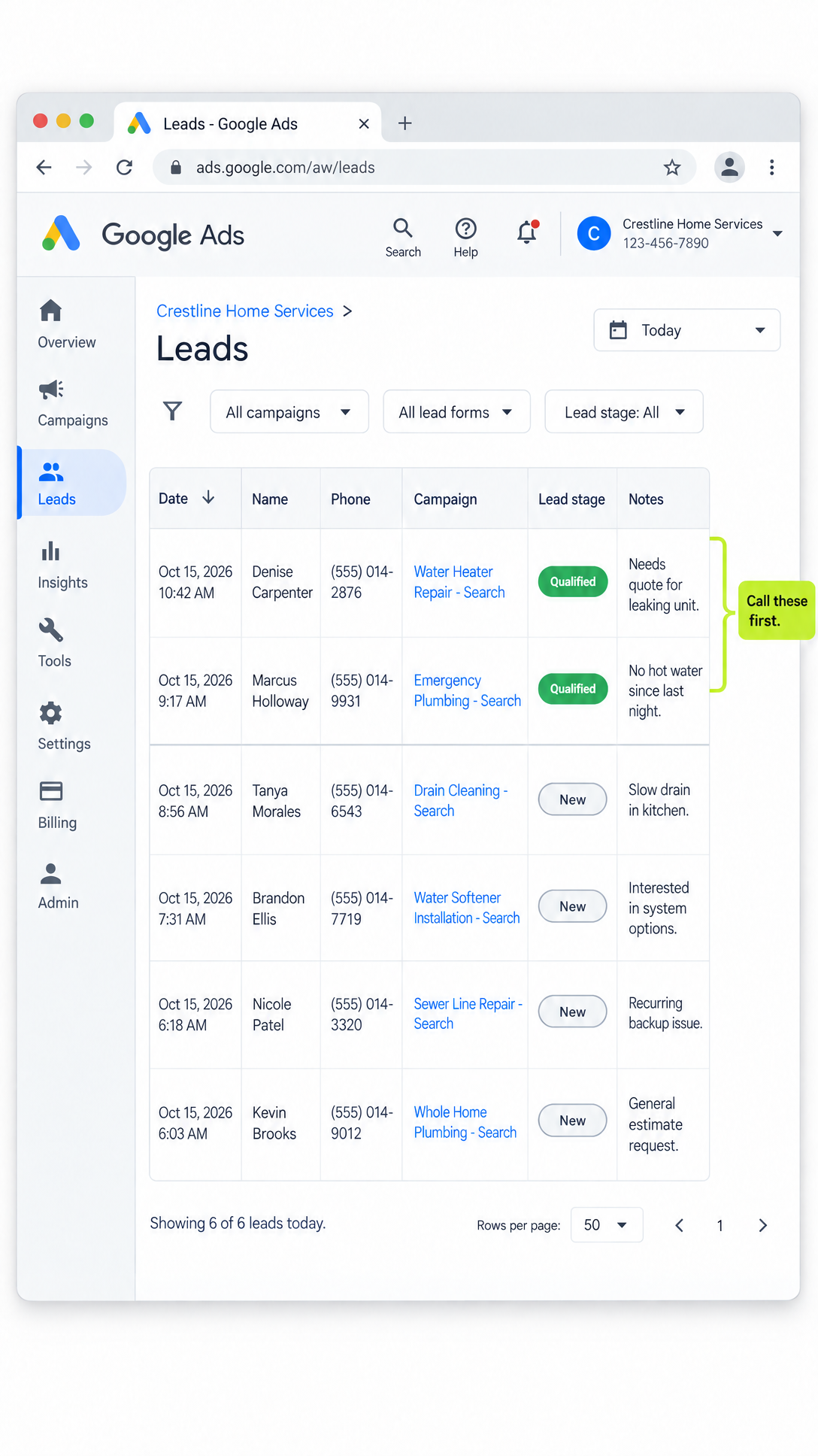
The flag stays with each form. It shows up in the list your ad person downloads from Google, and in what Google sends straight into your office software if the two are connected. Your office calls the flagged homeowners first, while the problem is still in front of them, and works through the rest after. If calling back fast is where your office falls behind, getting every call answered and booked is the next fix.
Check whether your ads are chasing ready-to-book homeowners or every form
Once the question is live, Google keeps a second count of just the flagged homeowners, apart from the count of every form. Put that count next to what you paid and you can see which ad money brings in people who own the home and need the work soon.
Which count your ads chase matters just as much. Google's automatic bidding does exactly what it's told: it spends your ad money finding more of the cheapest result you define. And Google's own setup instructions point these ads at every form that comes in. Point the ads at every form and they go looking for whoever fills out forms most easily. Someone who just wants a quick price is easy to find.
Google's help page doesn't say whether the new count of flagged homeowners becomes what your ads chase, or whether the ads switch over by themselves. So don't assume it either way. Have someone look in your account and tell you which count your ads are spending toward.
Expect fewer forms, and judge each month by the ready-to-book count
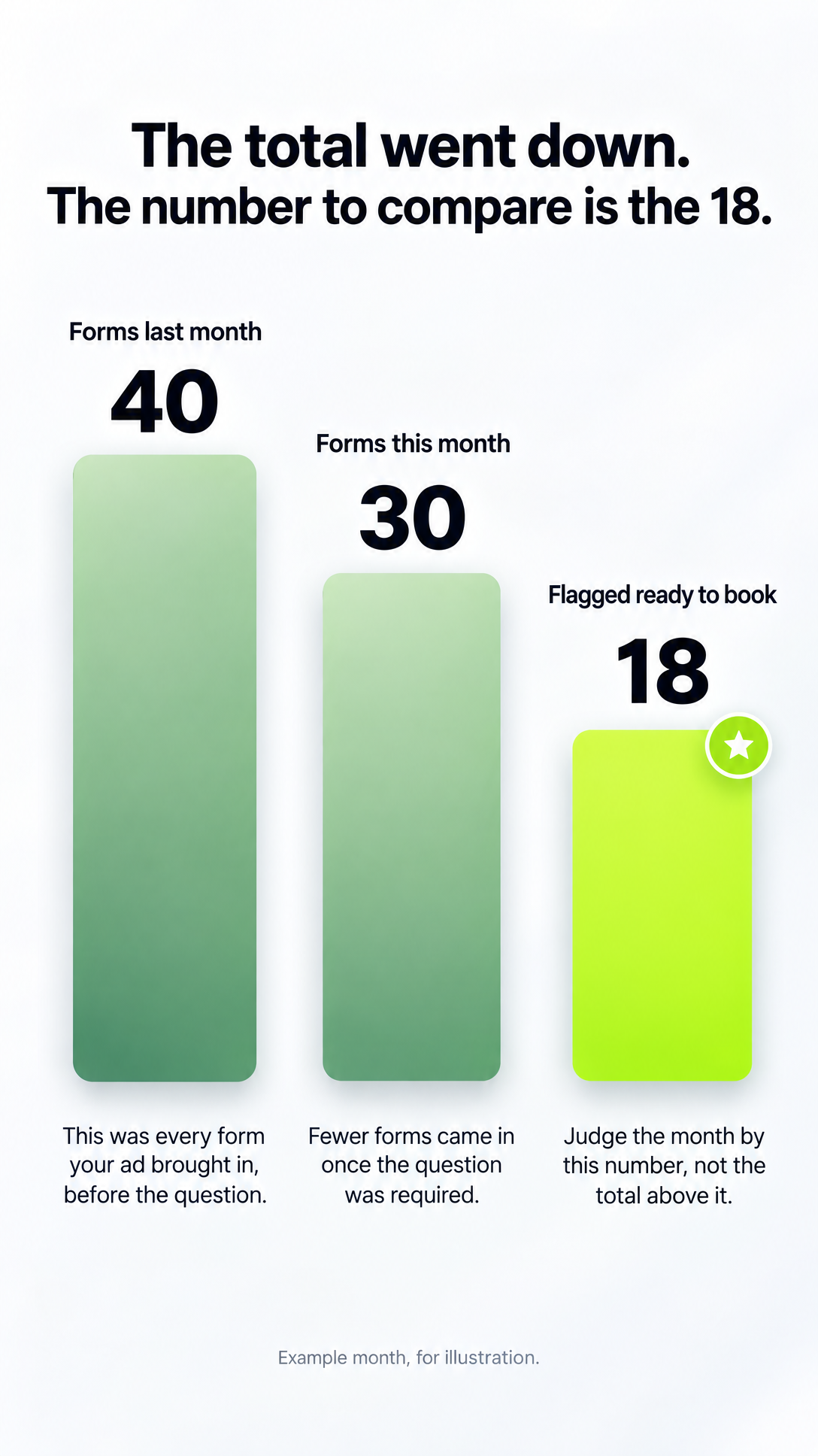
A required question means some people stop before they hit send. Expect fewer forms, and judge the form by the flagged homeowners, not the total. Google publishes no figure on how many people drop off, so the only number that counts is the one from your own account.
Say your ad brought in 40 forms last month, and this month 30 come in, 18 of them flagged ready to book. The total went down. The number to compare from now on is the 18: how many came in, what you paid for each and what your office made of them. If that number holds or climbs while the total falls, the question is doing its job.
A flagged homeowner still isn't a job on the schedule. It's someone who picked the right answer, and your office's callback may find otherwise. Getting your office's booked jobs back into Google is a separate setup, and it's how you show Google which calls became work.
Two things to ask whoever runs your Google ads
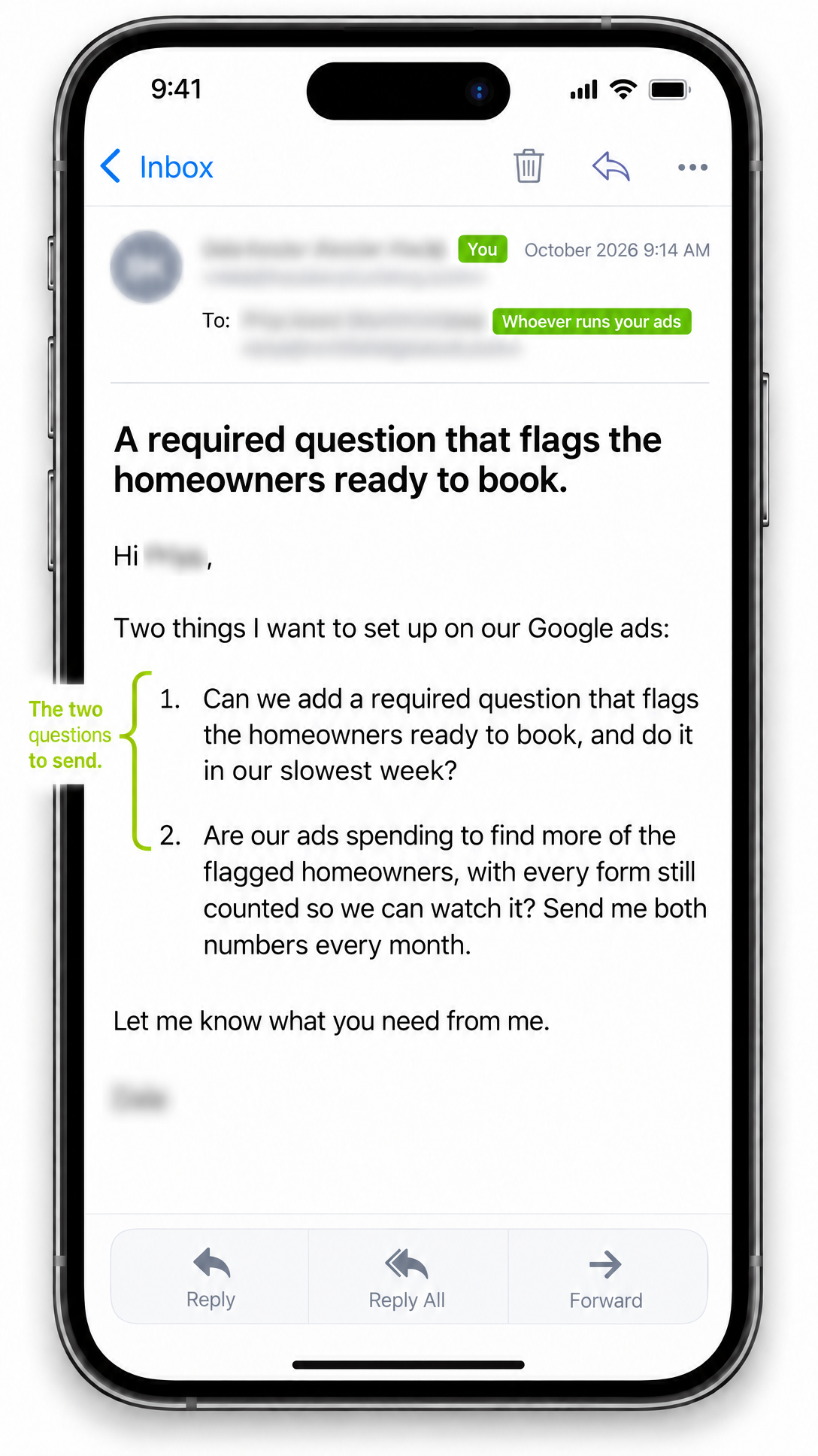
You don't have to open the ad account. Send these two questions to whoever runs it:
- "Can we add a required question that flags the homeowners ready to book, and do it in our slowest week?" Hand them your list of answers with the ready-to-book ones circled. Pick the slowest week because Google can pause your ads while it reviews the changed form. Google's help page says that when a new question is added, "your associated campaigns will pause until the updated form is approved," and it doesn't say how long that takes. The flag only works on Google's regular search ads, not on Performance Max, Google's all-in-one ad type, and an older form may need to be rebuilt.
- "Are our ads spending to find more of the flagged homeowners, with every form still counted so we can watch it? Send me both numbers every month." That's the setup we'd ask for: every form still counted so you see the total, and the flagged homeowners as what the ads spend toward. Ask for both numbers side by side each month, with what you paid for each. If the answer is "it's already set up that way," ask for a screenshot. Those two numbers side by side are what a monthly report worth reading should show you anyway.
One question on your Google ad means fewer wasted callbacks
Your Google ad can now ask your dispatcher's first question and flag who's ready to book, so your office stops spending its mornings on price shoppers and renters. Write down your ready-to-book answers and send those two questions this week. And if you want every call and form traced back to the ad or search that brought it in, start with tracing every call and form to its source.
Frequently asked.
Does the ready-to-book question work on every kind of Google ad?
No. Google's help page says the flag works on regular Google search ads only. It doesn't flag anyone on Performance Max, Google's all-in-one ad type, even though the form itself can run there. If your ad person runs your forms in Performance Max, ask about this before you count on the flags.
Will adding the question stop my Google ads for a while?
It can. Google says adding a new question to a running form can send it back for review, and the ads using that form pause until Google approves it. Google doesn't say how long that takes, so have it done in your slowest week and check the next morning that the ads are running again.
Is a flagged homeowner from my Google ad the same as a booked job?
No. A flag means the homeowner picked one of the answers you said means ready to book. Your office's callback still decides whether it turns into a job, and the two won't always match. Getting your booked jobs back into Google is a separate setup.
How many fewer forms should I expect after adding a required question?
Google publishes no figure on how many homeowners stop filling out the form because of a required question. Expect fewer forms, compare your own numbers before and after, and judge each month by the flagged homeowners and what you paid for each, not by the total.