

The short version
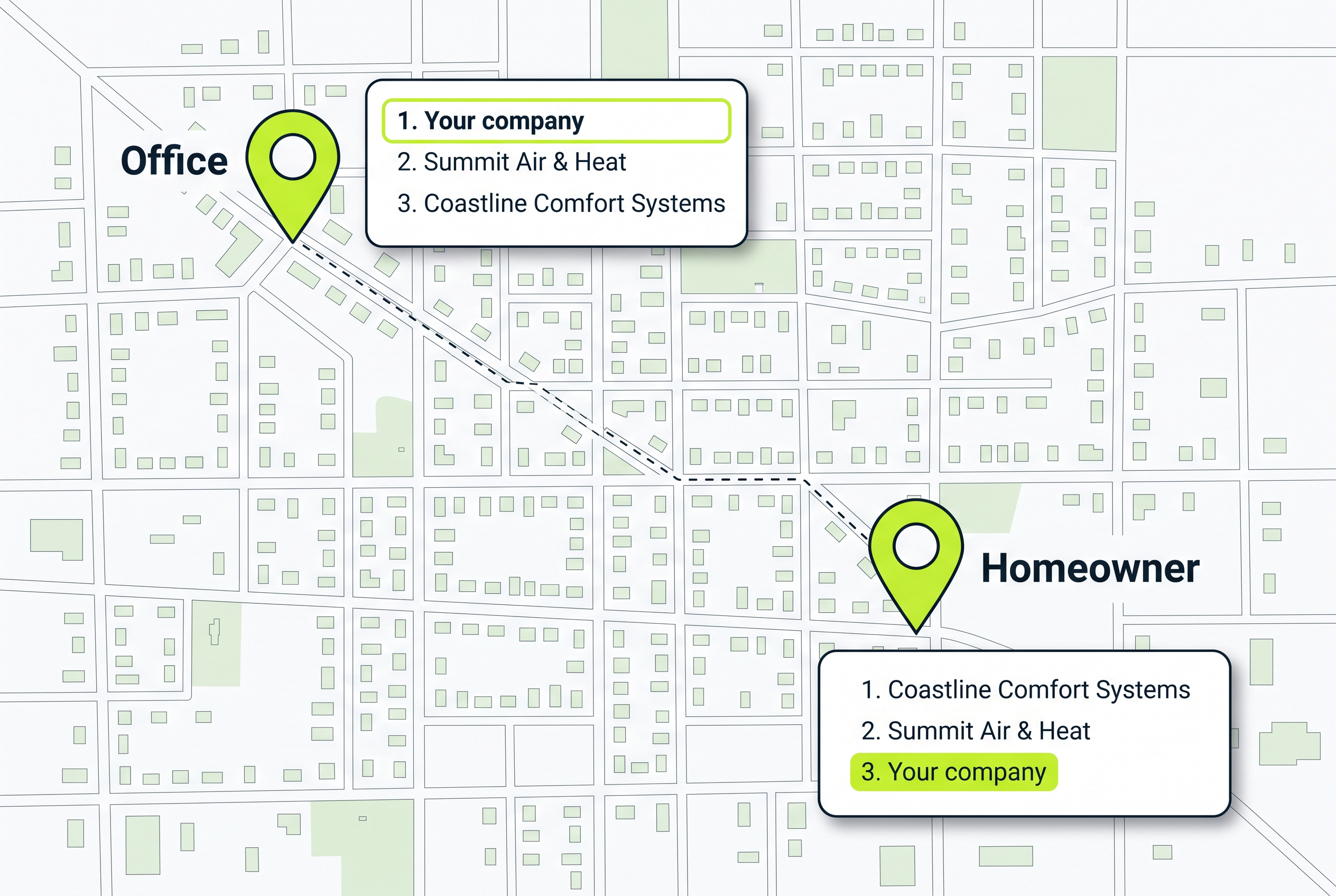
Google uses the location of the person searching to decide which companies show up first on the map. A search at the office only shows what people near the office see. To see what customers across town see, have a tech on a job there Google your service on his phone and screenshot the map results.
Google uses the homeowner's location to decide which companies show up first on the map. Seeing your company when you search from the office doesn't mean a homeowner across town can find you. You could be missing jobs in the towns farthest from your office. Ask a tech who's already on a job across town to Google a service you offer. Have him check whether your company shows up on Google Maps.
Google builds the map from where the homeowner is standing
Google says its local results on Maps and in Search mainly come down to three things:
- The work on your Google listing: how well your listing matches what the homeowner searched for. Your listing is the box with your company's name, hours and call button.
- How far your company is from the homeowner: the distance between your business and the person searching. If they don't share where they are, Google uses what it knows about their location.
- How well known your company is: Google says more reviews and good ratings can help.
The first and third are about your company. The second changes every time the person searching moves. Same search, same companies in town, a different order depending on whose kitchen it's typed in. Google doesn't say how much each one counts, and there's no way to pay for a better spot in the regular map results.
Distance affects every company's place on Google Maps
This isn't a penalty, and it isn't aimed at you. Every plumbing, HVAC, roofing and restoration company in your area is measured the same way. Near its office, distance works in its favor. Out at the edge of the towns it serves, distance works against it. The company across town faces the same distance in your town that you face in theirs.
The useful question is whether customers can find you in the towns where you want more jobs. A town your trucks rarely visit doesn't matter much. A town full of the jobs you want, 40 minutes from the office, matters a lot.
A top spot near your office doesn't prove customers across town see you
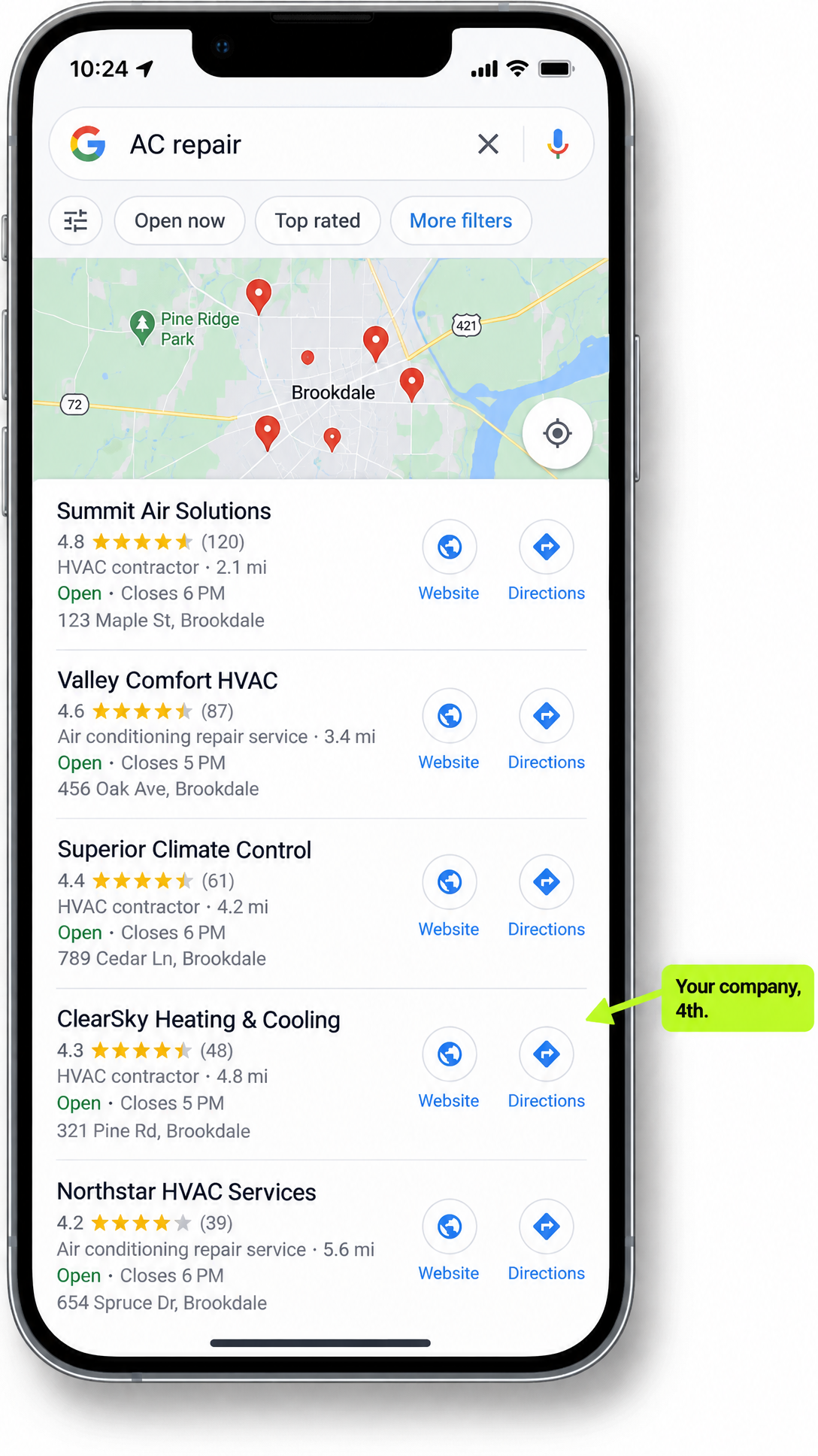
Say you run an HVAC company, Google "AC repair" at your desk and see your company near the top. Distance is on your side there, so that result can feel reassuring. But it tells you what showed up for that search near the office, not what customers across town see. Searching from home won't answer that question either if you live close to the office.
Your techs are already in the towns that matter, so have them check
You don't need to send anyone driving around. Your techs are on jobs in those towns every week, standing right where your customers stand. Pick three to five towns to start: the ones farthest from the office where you want more of the work.
- Search from the job. A tech who's already on a job in one of those towns uses his own phone with location turned on and types what a homeowner would: "AC repair," "water heater repair," "roof leak repair." Try more than one service, because you might show up for one and not another.
- Find your company in the map results. Does it show up, and where in the list? He takes a screenshot either way. If you have more than one office, note which office's listing came up.
- Write each search down. Keep a simple log, a spreadsheet or a page in a notebook, with one line per search: the town, the job address, what he typed, and what he saw. A good line reads like this: Maple Grove, 412 Elm St., water heater repair, not in the first three, two companies above us with more reviews. Keep the screenshot with that line so you can search again from the same house next month.
After a couple of weeks you'll have a short list: towns where customers can find you, and towns where they can't. Everything below is about the second list.
Missing in a town? Don't make another Google listing for it
The first idea most owners have is a listing with an address in that town. Google's rules don't allow it for a company that drives to the customer. If customers don't visit your office, you get one Google listing for your base, you hide its street address and you list the towns you serve. Google generally recommends keeping that area within about a two-hour drive of where you're based, though it says a larger area can suit some businesses.
Listing a town tells customers you go there. It doesn't change how far your business is from them.
A second listing is allowed only for a separate office with its own staff and its own service area. A town your trucks visit isn't one. A real second office can have its own listing, but it has to make sense on its own: enough jobs in that area to pay for the crew, the rent and everything else.
Start with the listing you already have, because you control it
You can't move your office closer to a far town. You can make your listing match the work and keep everything on it right. Search for your company name on Google and check what customers see:
- Are the towns you serve listed correctly? Remove towns you no longer cover and add any that are missing.
- Does the listing name the work the tech searched for? If he searched "water heater repair" and your listing only talks about drains, that's a gap.
- Is everything on it right? Google says a listing with wrong information might not show up for searches in your area. Check the hours, the services and the business name.
- Is your own number on your listing? If an old marketing company ever put its tracking number on your listing, make sure your own number is back on it.
If someone else handles your listing, send them the screenshot with the town and the service the tech searched. Ask: "Why do these companies show up here and we don't? Does our listing clearly describe this work, and what else needs fixing?" If nobody owns it, here's what keeping your Google listing right involves.
Then earn more reviews from every finished job
Look at the companies above you in the screenshot. Do their listings name the work the tech searched for? How many reviews do they have, and how good are the ratings? Google says more reviews and good ratings can help your company show up higher on the map.
Ask for a review after every completed job, in every town you serve, and make it part of how the job closes out rather than something someone remembers to do. If it keeps slipping, here's how a steady flow of reviews gets built.
Next month, have a tech repeat the same search from the same house in your log. Compare the screenshots. That tells you whether the listing fixes and new reviews moved anything in that town.
Still missing on the map? Check the paid listings before spending
Your techs' screenshots show which towns you're showing up in and which ones you're missing from. A town where you're still missing after your listing is right and the reviews keep coming in is one where the map alone may not bring you the work. For each of those towns, you have a choice: let the work there come from referrals and the map, or pay to show up there.
Local Services Ads are the paid Google listings built for home services companies that can appear above the map. Here's where those ads appear on Google.
Before you spend a dollar in one of those towns, run it through the LSA X-Ray. It shows which companies appear in Local Services Ads there and where you rank. Compare that with your techs' map screenshots. You'll have both sets of competitors in front of you before deciding which towns are worth advertising in.